
Business solutions
Organize the outcome, not just the application list.
We shape GoOfficePH around the work a business needs to finish: serving customers, delivering projects, operating branches, managing people, closing the books, and seeing what needs attention next.
Six outcomes, one connected workspace
Choose the business problem you want to solve first.
Keep every request moving
Connect the original message, responsible person, files, meeting, due date, status, and follow-up so customers do not have to repeat themselves.
Give commitments an owner and a finish line
Move decisions into boards, documents, schedules, reviews, and reports with the source conversation still attached.
Standardize the work while preserving local responsibility
Use common domains, rooms, files, templates, calendars, boards, services, and reports across branches.
Replace spreadsheet uncertainty with reviewable books
Use Ledger beta for receivables, payables, cash, inventory, approvals, close, and reporting when financial operations need more discipline.
Connect employee administration to the work and the books
Enable Ledger People when employee records, attendance inputs, leave, payroll review, approvals, and accounting entries belong in one process.
See the signal and open the work behind it
Use role-scoped reports, audit detail, service health, support queues, adoption measures, and operating records to decide what needs attention.
Customer work without the handoff gaps
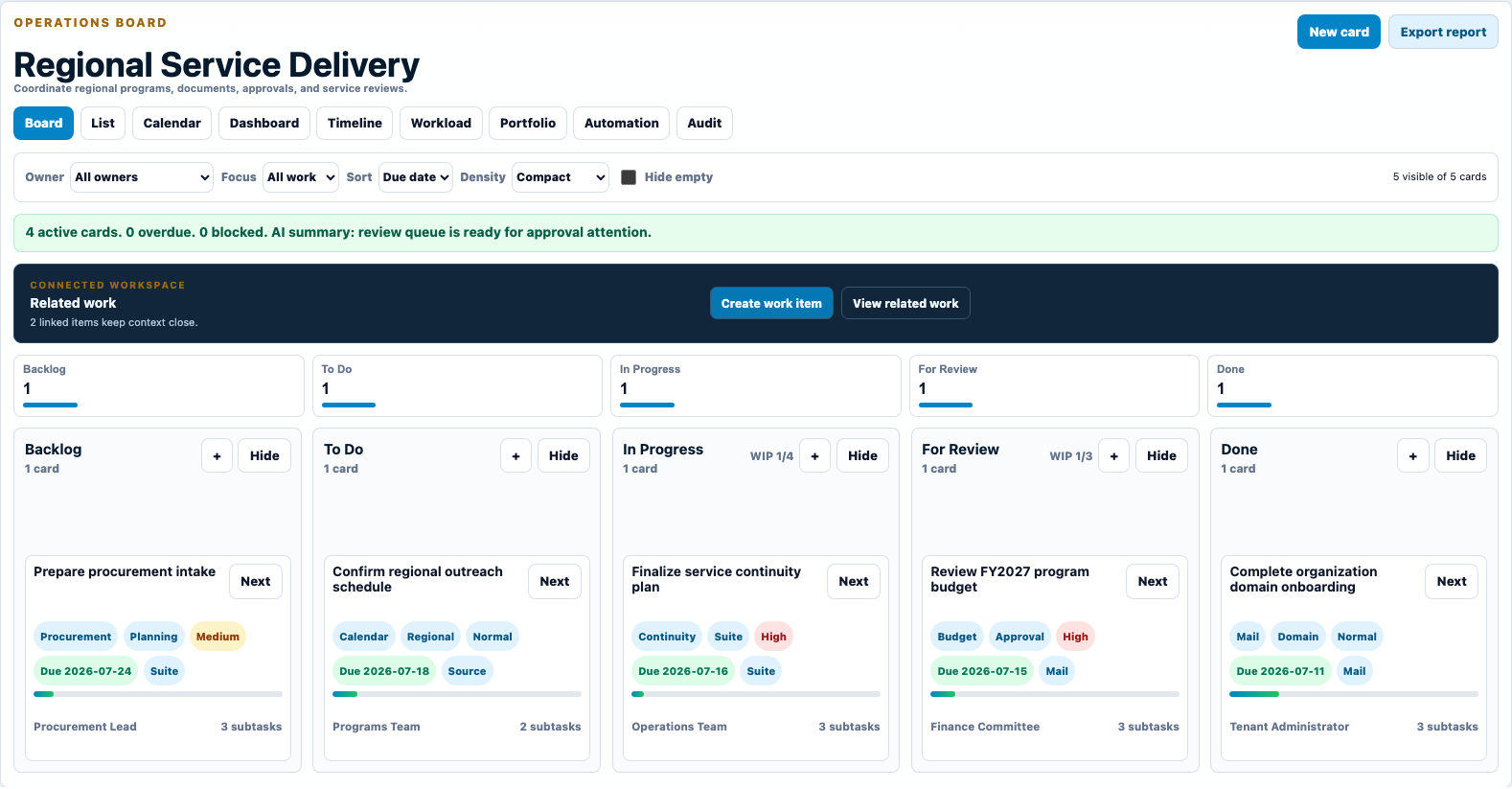
Keep the conversation, decision, deliverable, schedule, and next action together.
A customer request can move from Mail to Connect, into a shared document, onto a Work Board, and into Calendar without forcing the team to search across unrelated accounts and folders.
- Preserve the source record instead of copying it into another app.
- Give each follow-up a visible owner, status, and due date.
- Keep authorized external guests in the conversation without exposing the wider workspace.
- Use retained activity to understand what changed and who acted.
From operational activity to management attention
Build a reporting rhythm that leads to action.
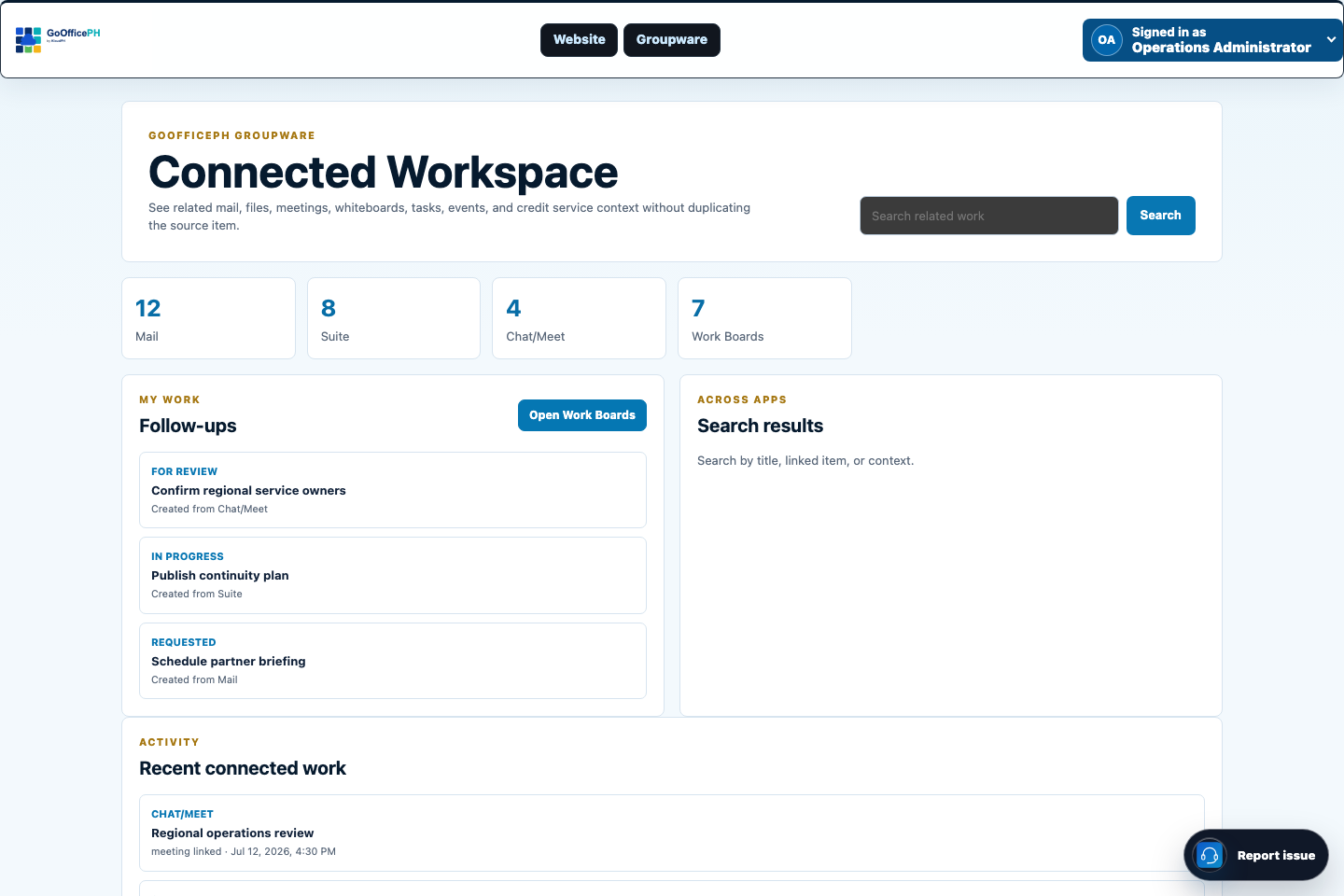
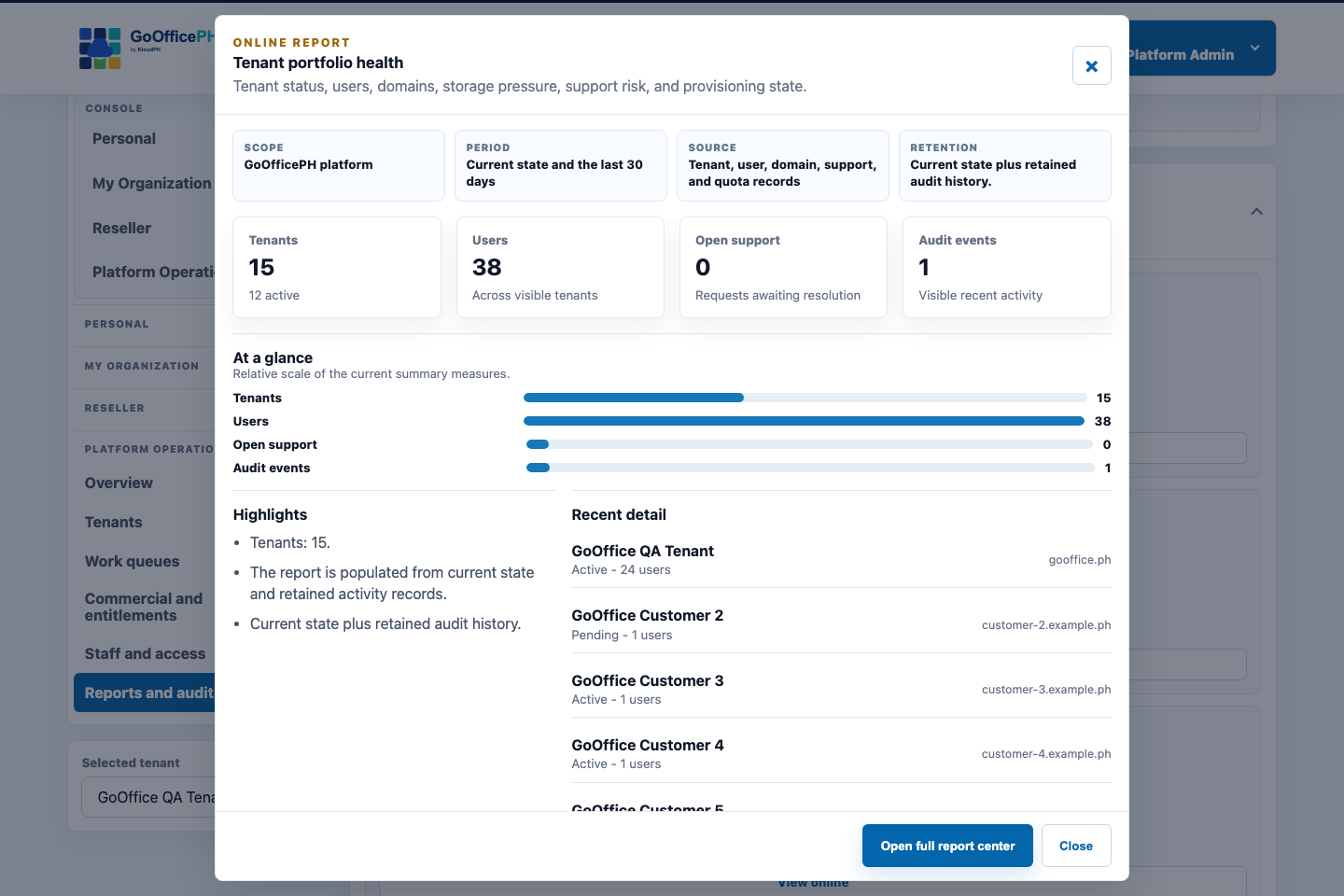
We use current state and retained activity to help authorized viewers scan the business, investigate exceptions, and open the workflow that needs correction.
- Personal views for account activity, services, storage, and support.
- Organization views for people, domains, adoption, security, support, storage, and services.
- Reseller views for wallet, sales, customers, reconciliation, and exceptions.
- Platform views for cross-tenant operations, governance, commercial controls, security, and audit.
Start where the pain is most visible
A practical first solution for each business signal.
| Business signal | Recommended starting point | Next connected capability |
|---|---|---|
| Customer messages are scattered or missed | Mail plus Contacts | Work Boards and Calendar |
| Teams decide quickly but follow-through is unclear | Connect plus Work Boards | Suite and Connected Workspace |
| Files are difficult to share, review, or recover | Suite | Work Boards and tenant administration |
| Branches work differently and leadership lacks visibility | Tenant administration plus Groupware | Reports, templates, and shared operating boards |
| Spreadsheets no longer provide enough financial control | Ledger beta | People, Make, or Growth add-ons when required |
| Administrators cannot explain who changed what | Platform audit and reports | Security policy and role refinement |
Solution design
Match the first rollout to a measurable business outcome.
Which solution should a small team start with?
Start with the daily problem that consumes the most time or creates the most risk. For many teams that is professional Mail, customer follow-up, or shared files. The same account can expand into the wider workspace later.
Can a solution span several departments?
Yes. A workflow can connect Mail, meetings, files, contacts, schedules, boards, administration, and reports while role and tenant controls determine what each participant can see or change.
How do we avoid over-configuring the platform?
Use a representative template, safe defaults, a small pilot, and a clear success measure. Add advanced policy, automations, reports, or Ledger modules only when the operating need is understood.
References
Explore the research and policy context behind this guidance.
Put the next step in reach
Choose the capability that will make the clearest difference to your team.
Start with one priority, keep the implementation manageable, and expand on the same connected foundation.