


Solutions
We start with the responsibility your organization carries.
Government, institutions, regulated teams, and growing businesses do not evaluate collaboration software for the same reasons. We connect the same GoOfficePH product to the governance, migration, and daily-work context that matters to each audience.
- Email first
- Local operating posture
- Connected work
Choose your context
We keep each route focused on a real operating outcome.
Find the path that matches your responsibilities, then explore the Philippine organizations and policy context that shape each solution. View the supporting sources.
We connect locally hosted mail, meetings, files, administration, and reports for work that must remain understandable and reviewable.
82 provinces, 149 cities, 1,493 municipalities, and 42,010 barangays. Source: PSA, July 31, 2025.InstitutionsWe organize people, records, documents, calendars, meetings, and follow-through for schools, hospitals, cooperatives, and formal organizations.
1,977 higher education institutions reported as of January 4, 2024. Source: PCO citing CHED.Regulated and duty-of-care workWe bring data location, access boundaries, audit visibility, and daily productivity into one evaluation frame.
Philippine controllers remain accountable for transferred personal information. Source: NPC, Data Privacy Act Section 21.Growing businessesWe start with professional email and add meetings, files, office work, and administration when the team is ready.
99.63% of registered establishments are MSMEs. Source: DTI 2024 statistics.A closer look at your workspace
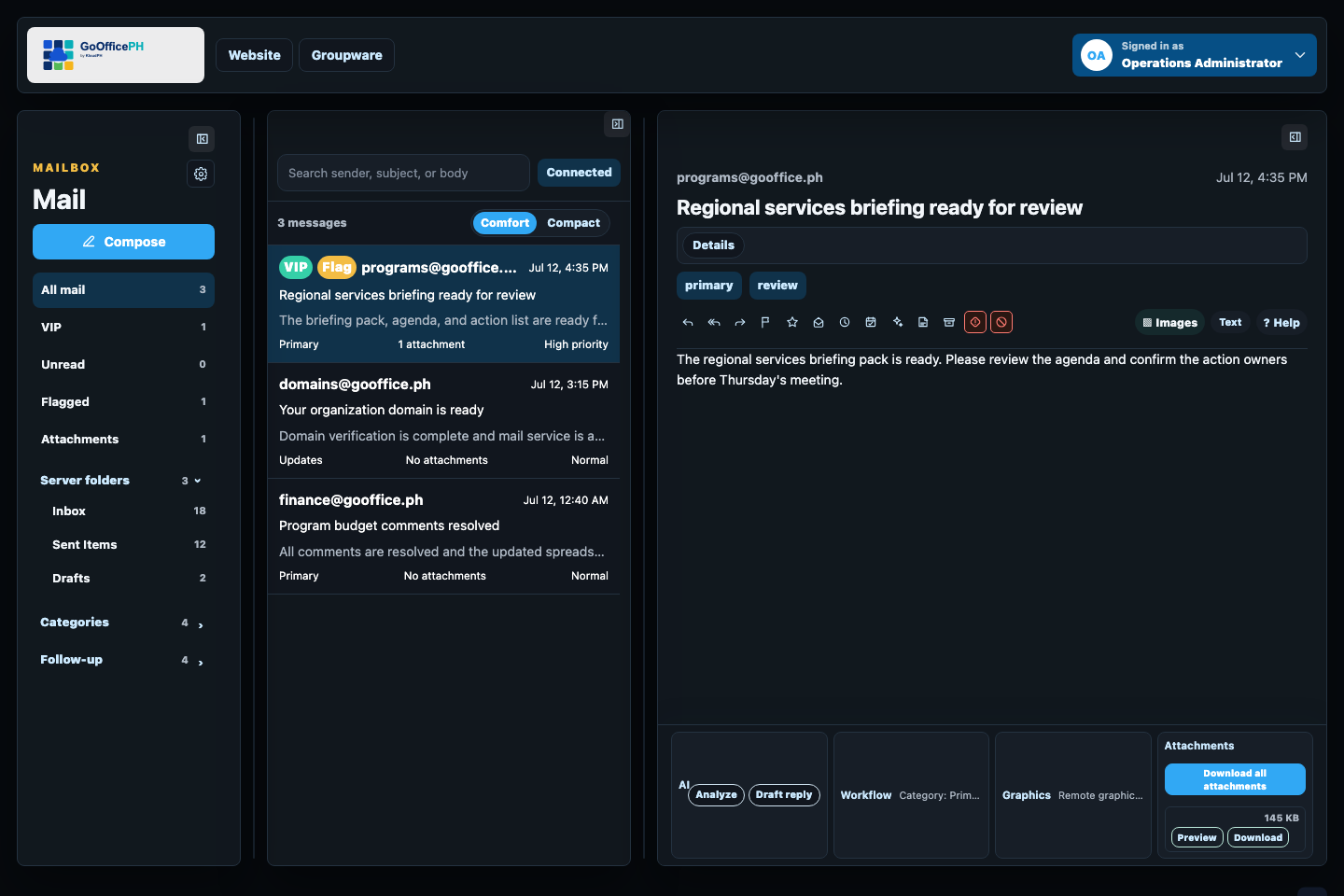
Start with Mail, then connect the work around every conversation.
Keep customer messages, attachments, approvals, and follow-up in one place, then carry that context into Suite and Work Boards as your team grows.
Connected execution
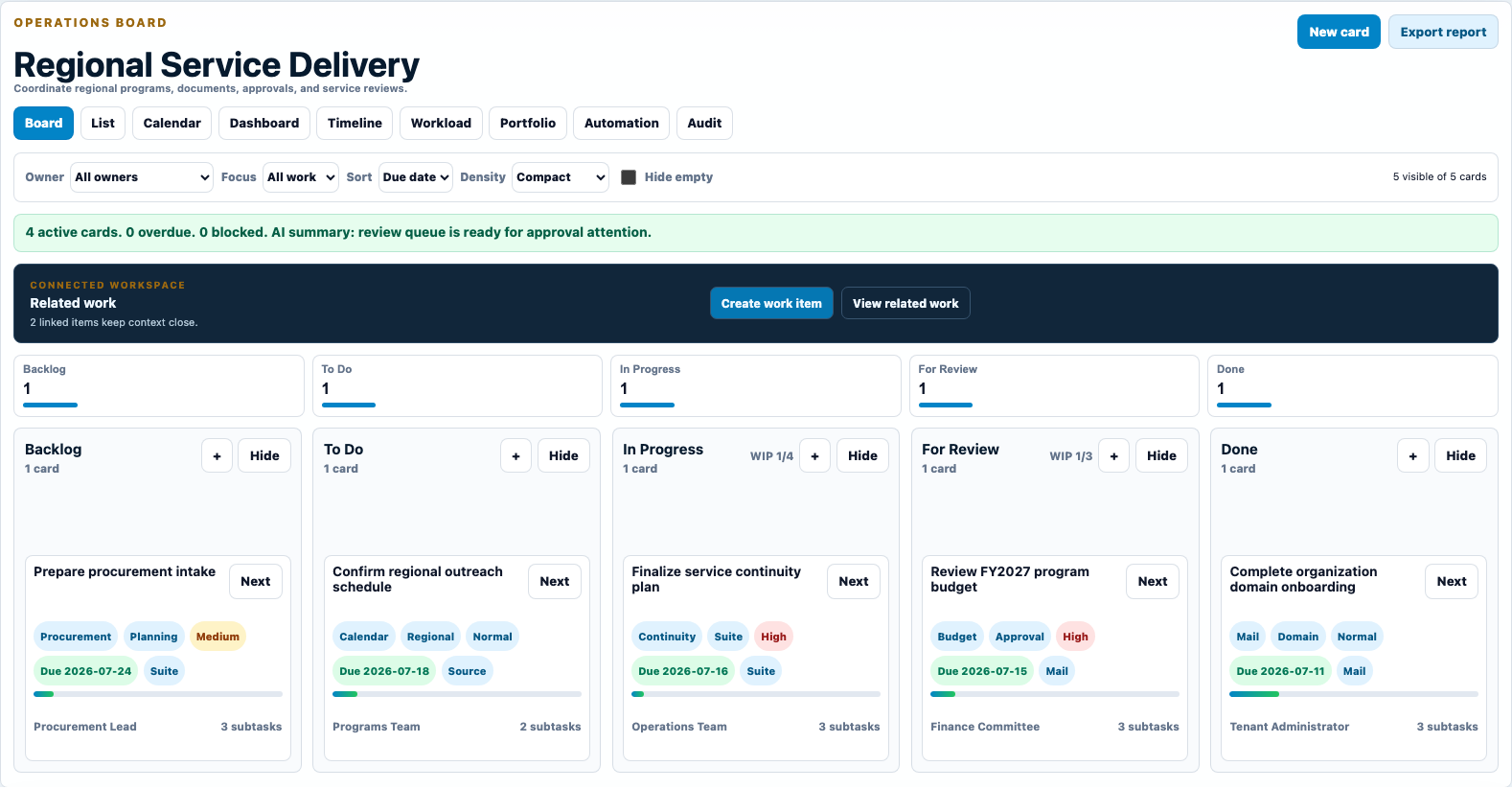
See work move clearly from request to completion.
Keep every stage, owner, due date, and review status visible at once. On phones, swipe across the full board without squeezing the workflow into unreadable columns.
A staged rollout
We let organizations expand without replacing everything on day one.
Each stage produces a usable outcome. The organization can validate identity, migration, support, and operating controls before moving to the next layer.
- Establish MailSet up identity, domains, mailboxes, recovery, and migration.
- Add ConnectIntroduce rooms, meetings, guests, screen sharing, and governed collaboration.
- Connect SuiteBring files, office documents, sharing, activity, and storage into the workspace.
- Structure workConnect Calendar, Contacts, Work Boards, Whiteboard, Wallet, and reporting.