
Consumer accounts weaken brand identity and make ownership difficult when staff changes.
Professional business tools without enterprise-sized complexity
Start with business Mail, then add the workspace your team needs as it grows.
We give growing Philippine businesses professional domains, Mail, meetings, files, office tools, calendars, contacts, and administration in one locally supported workspace with predictable peso-based credits.
99.63%MSMEs account for nearly all registered Philippine establishments.DTI, 2024 MSME Statistics
The operating need
Growing teams need professional communication and collaboration without buying, integrating, and administering a different subscription for every task.
Multiple subscriptions increase cost, duplicate administration, and scatter customer and project context.
Migration and setup can overwhelm teams without dedicated IT staff.
What changes with GoOfficePH
Bring the work and the responsibility around it into one operating model.
Establish a professional business domain and Mail first.
Add Connect, Suite, calendars, contacts, and Work Boards as the team needs them.
Manage users, services, credits, and storage without becoming a platform specialist.
Use local support and guided migration to move from existing mail and file services.
Mail-first adoptionOne identityIntegrated applicationsPeso-based creditsGuided migrationLocal support
Published Philippine pricing
Build the workspace from PHP 249 per user/month.
Our per-user monthly full-workspace rates under annual commitment are about 40% below the average comparable monthly rates from Google Workspace and Microsoft 365 at PHP 61.60 per USD. Competitor figures are monthly price units under annual terms, not annual totals; payment timing follows each provider's terms. Feature and storage bundles differ, and Zoho remains a lower-cost reference.
Groupware entryWorkspace StarterPHP 249per user/month with annual commitment; 299 month-to-month credits40.4% below the mainstream benchmarkComplete GroupwareWorkspace BusinessPHP 499per user/month with annual commitment; 579 month-to-month credits41.3% below the mainstream benchmarkHigh-assurance optionSovereign PlusPHP 899per user/month with annual commitment; 999 month-to-month credits39.7% below the mainstream benchmark
The product in use
See current GoOfficePH applications doing real work.
Every preview uses the current production interface and populated demonstration content. Open the product page for the complete feature and benefit brief.
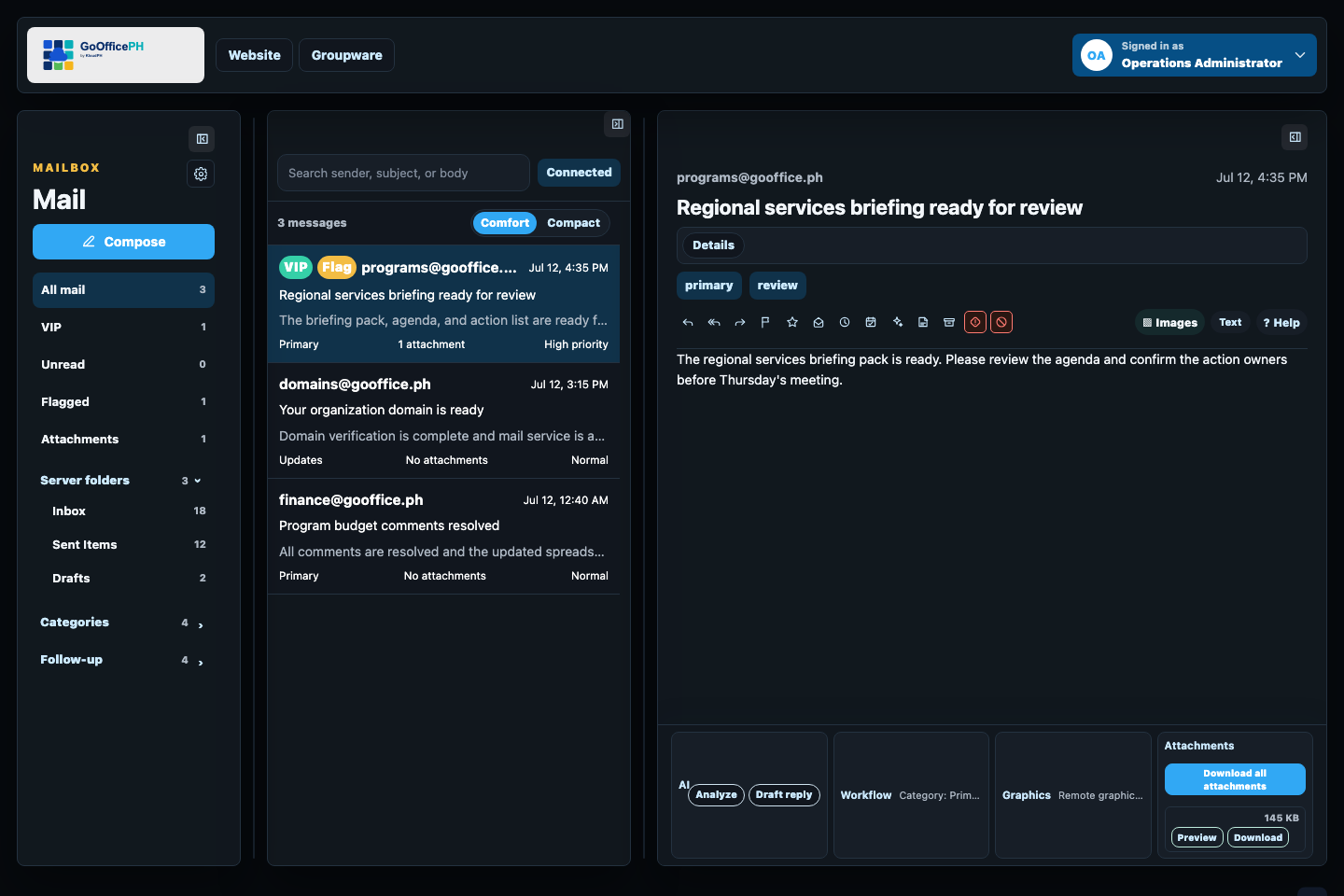
Keep daily communication, attachments, invitations, safety cues, and follow-up in one focused inbox.
Explore Mail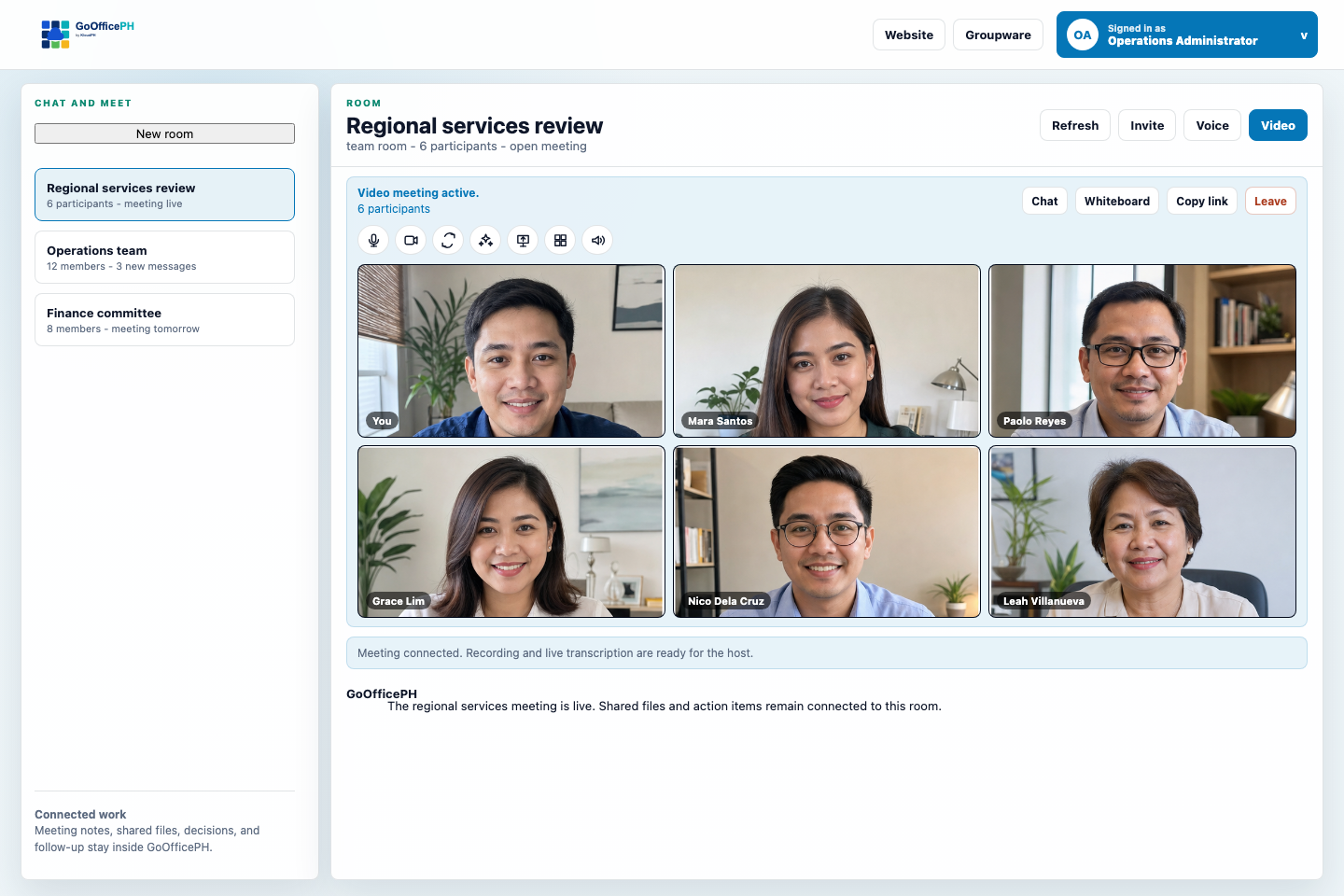
Bring members and guests into persistent rooms, voice, video, screen sharing, recordings, and transcripts.
Explore Connect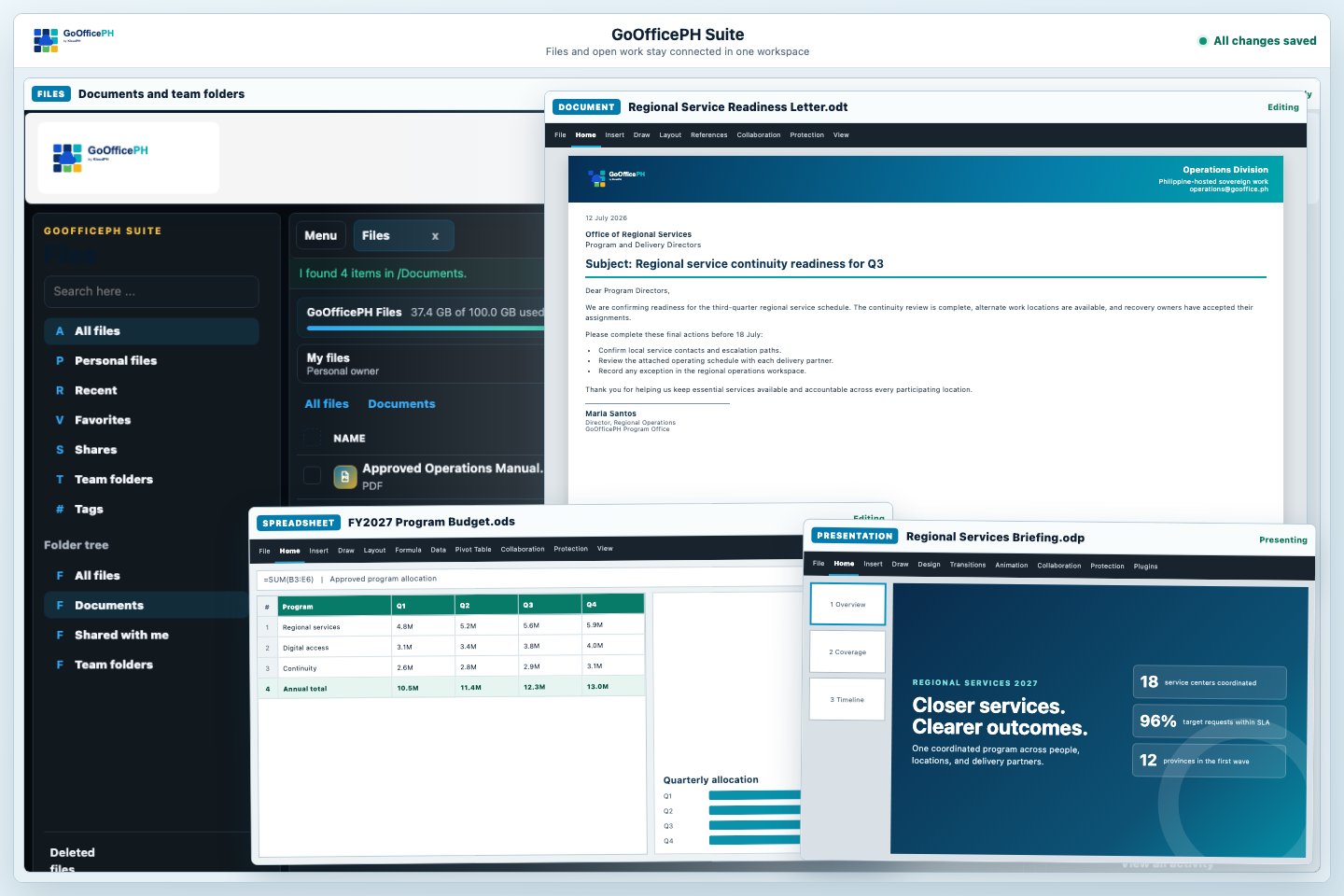
Keep files, sharing, documents, spreadsheets, presentations, exports, versions, and storage in one workspace.
Explore Suite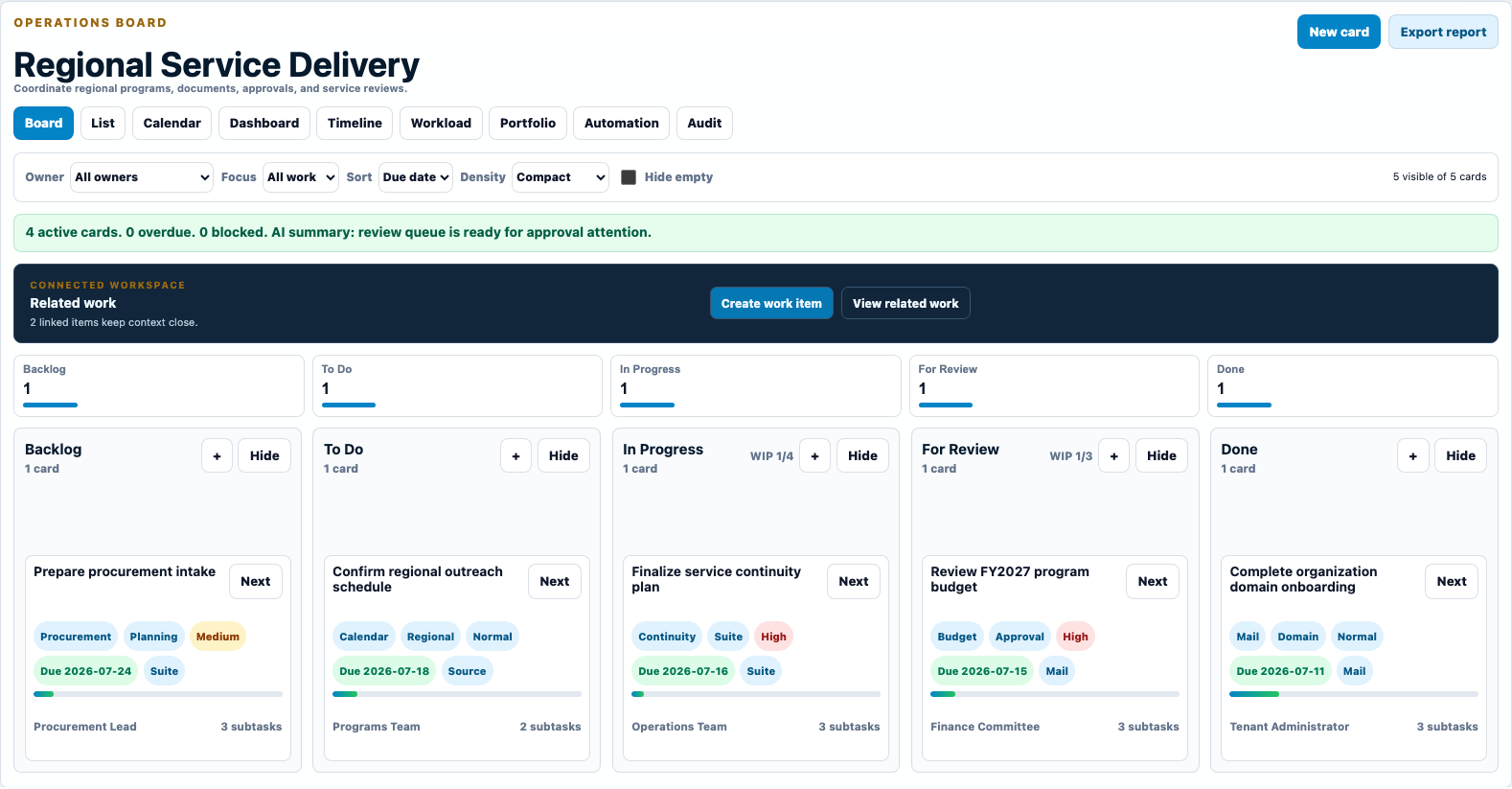
Turn messages, meetings, documents, and approvals into visible owners, due dates, reviews, and completed work.
Explore Work Boards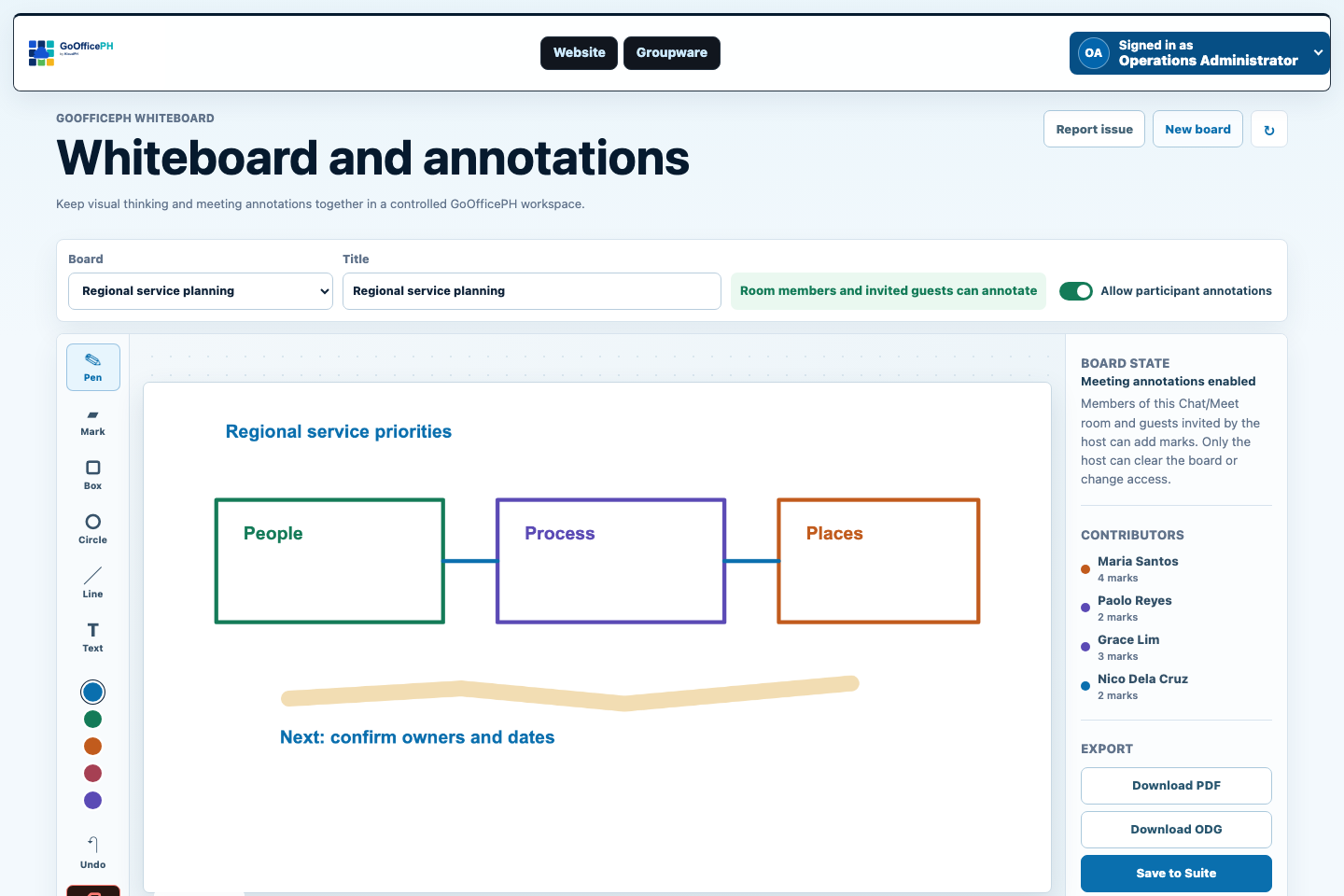
Capture meeting ideas with host controls, attributed annotations, and export to PDF, OpenDocument Drawing, or Suite.
Explore Whiteboard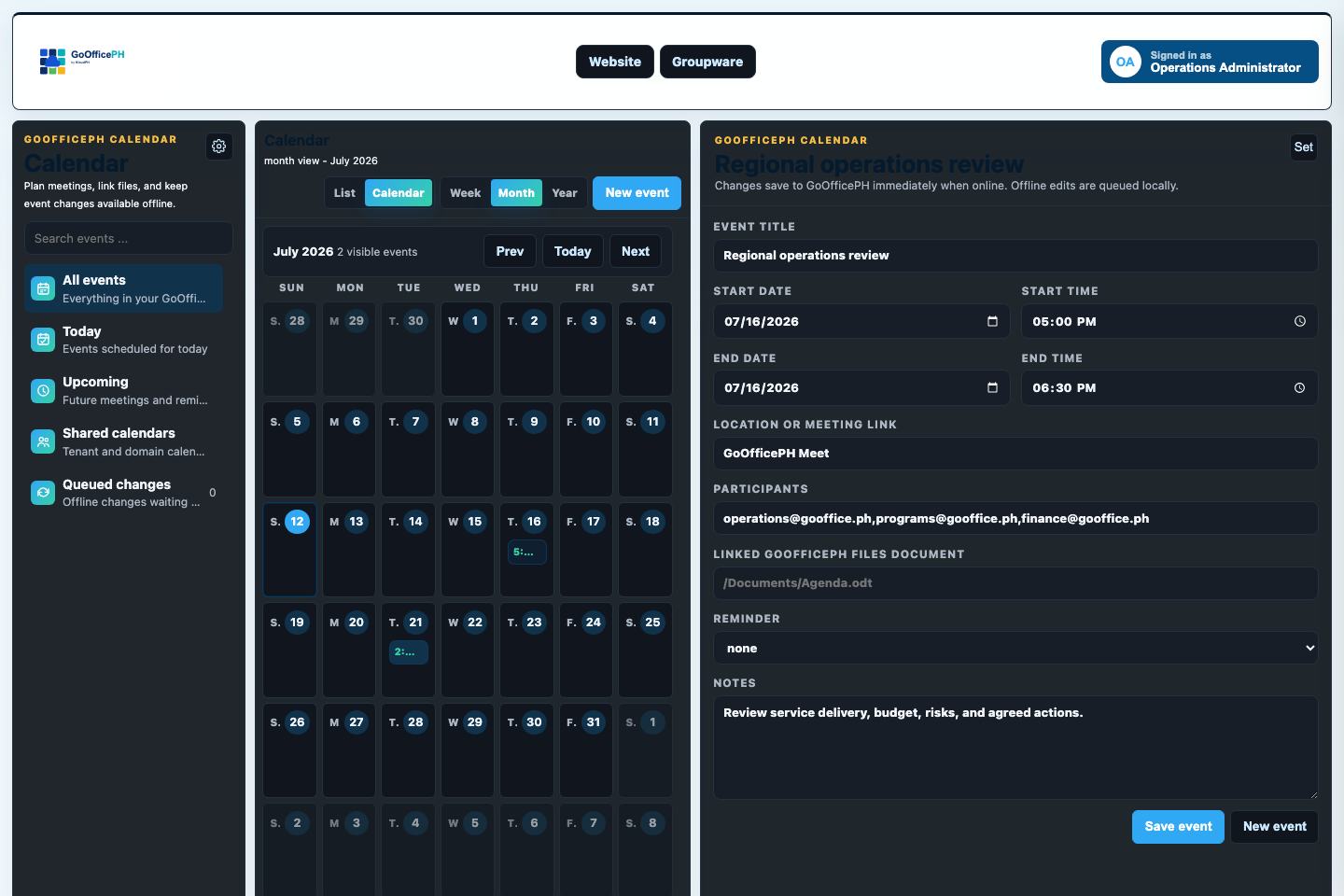
Keep invitations, schedules, shared calendars, meeting links, and follow-up visible across the workspace.
Explore Calendar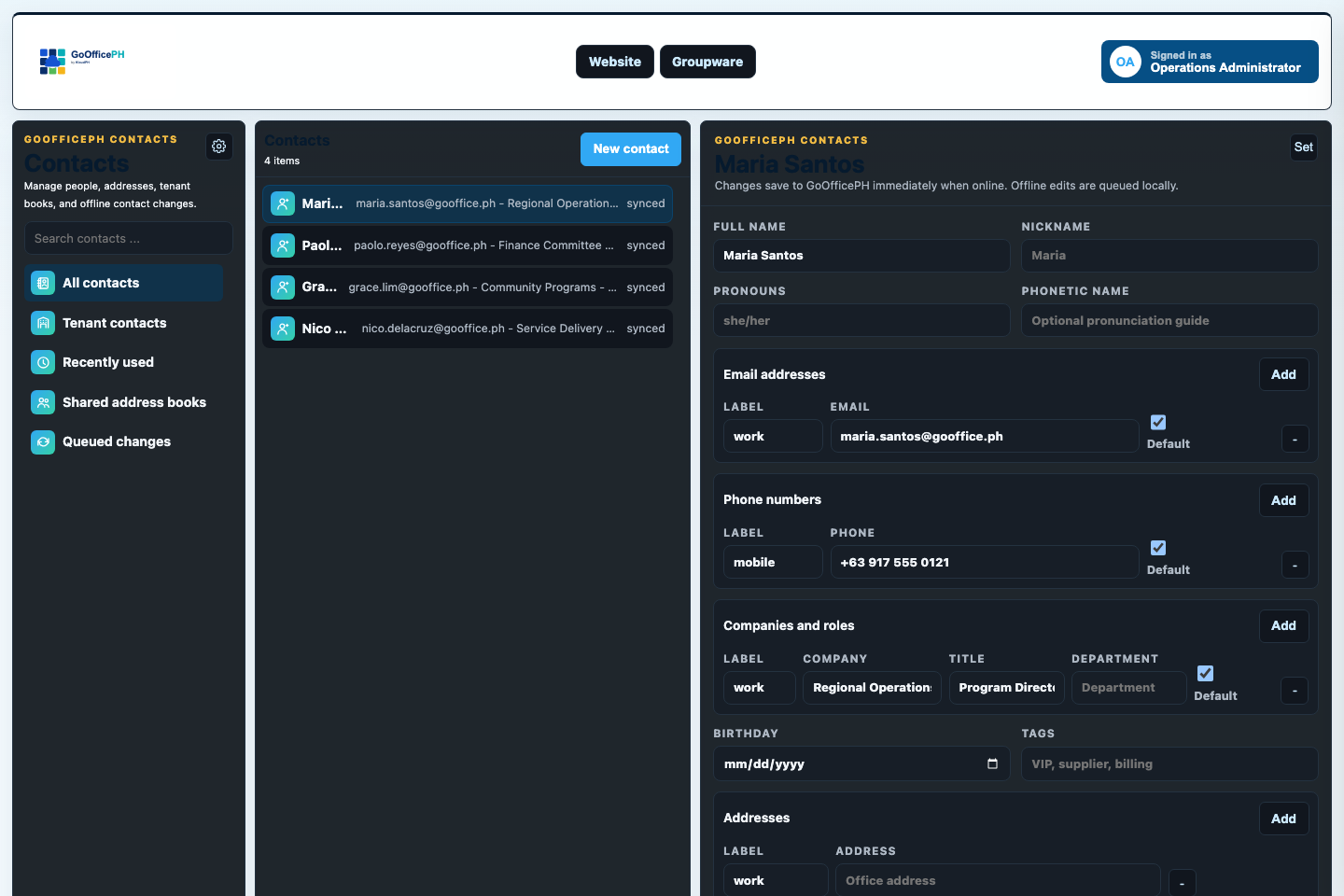
Keep personal contacts, tenant directories, shared address books, and Mail recipient workflows together.
Explore Contacts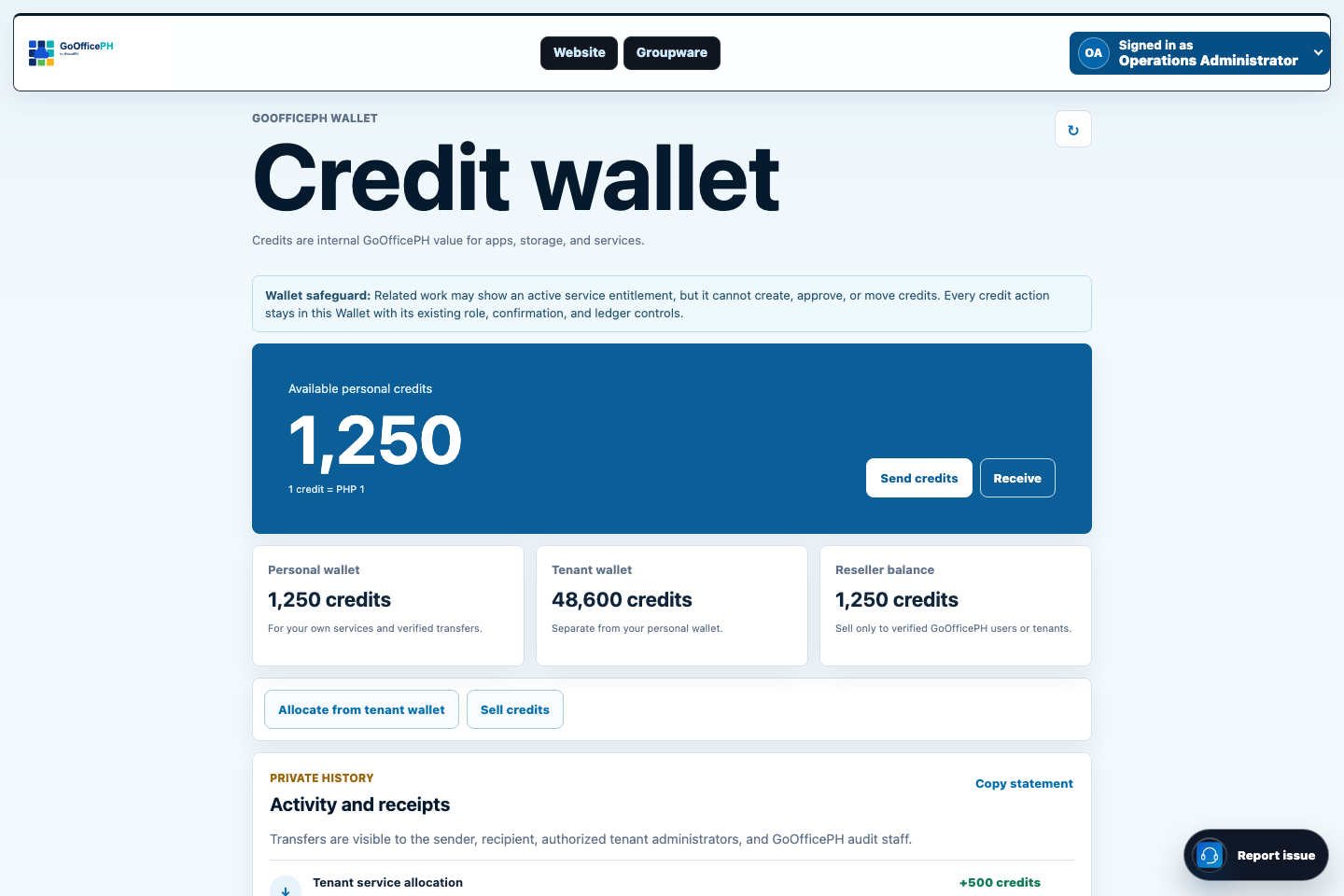
Keep verified credit allocation and product activation visible across personal, tenant, reseller, and staff roles.
Explore Wallet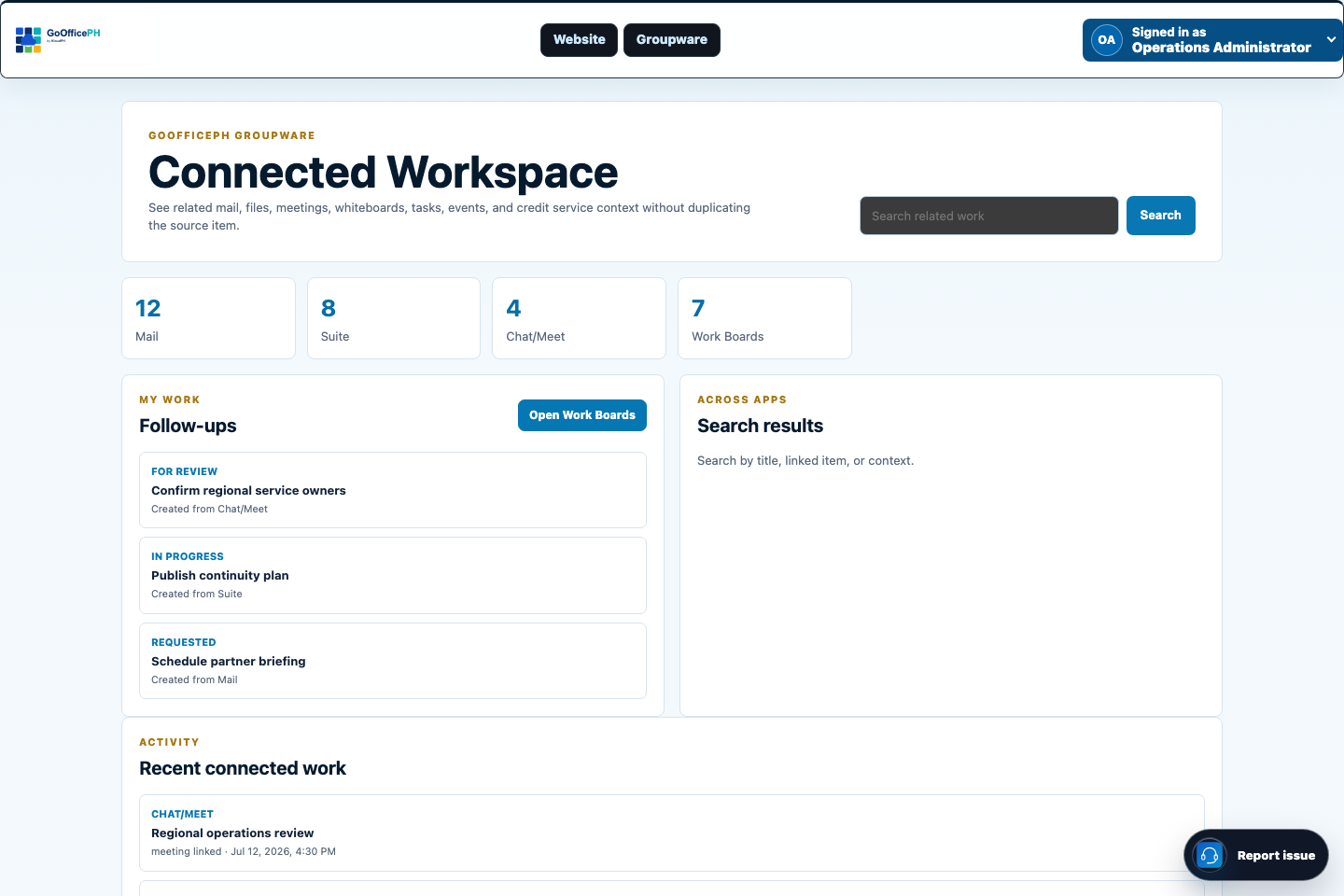
Keep related messages, meetings, files, schedules, contacts, boards, whiteboards, and credit actions close to the work they support.
Explore Connected Workspace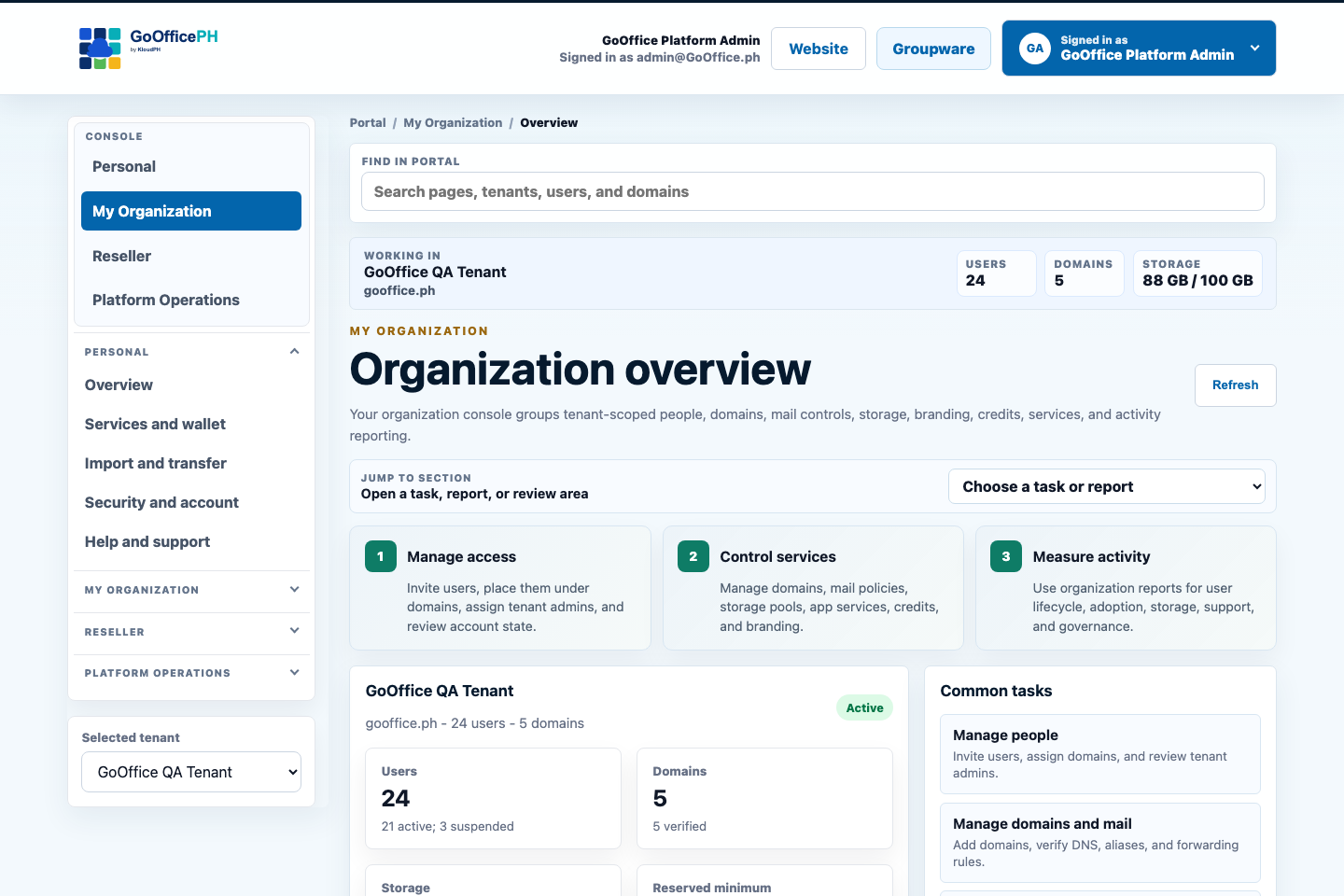
Manage people, tenants, domains, roles, services, storage, and policy from role-aware consoles.
Explore AdministrationBuilt to be managed
Daily applications are only half the story.
We place administration, security, audit, and reports beside the apps so authorized users can operate people, domains, tenants, services, policies, storage, and activity at the scale their role permits.
A practical adoption path
Start with a credible first outcome, then expand deliberately.
- 1Establish identity and Mail
Confirm domains, users, recovery, migration, and the first operating group.
- 2Add Connect
Bring rooms, voice, video, guests, and meetings into the same identity.
- 3Connect Suite and structured work
Add files, office documents, calendars, contacts, boards, whiteboards, and reports.
References
Ground the decision in policy, market context, and current product evidence.
- DTI, 2024 MSME StatisticsOf 1,241,476 registered establishments, 99.63% are MSMEs.
- NPC, Data Privacy ActControllers must apply reasonable safeguards and remain accountable for personal data transferred to third parties, domestically or internationally.
Next step
Compare your current tools and migration path
List the subscriptions, domains, mailboxes, files, and meetings your team uses today, then compare a Mail-first or full-workspace GoOfficePH rollout.