

Add recognized invitations from Mail and preserve updates or cancellations.
Scheduling
GoOfficePH Calendar
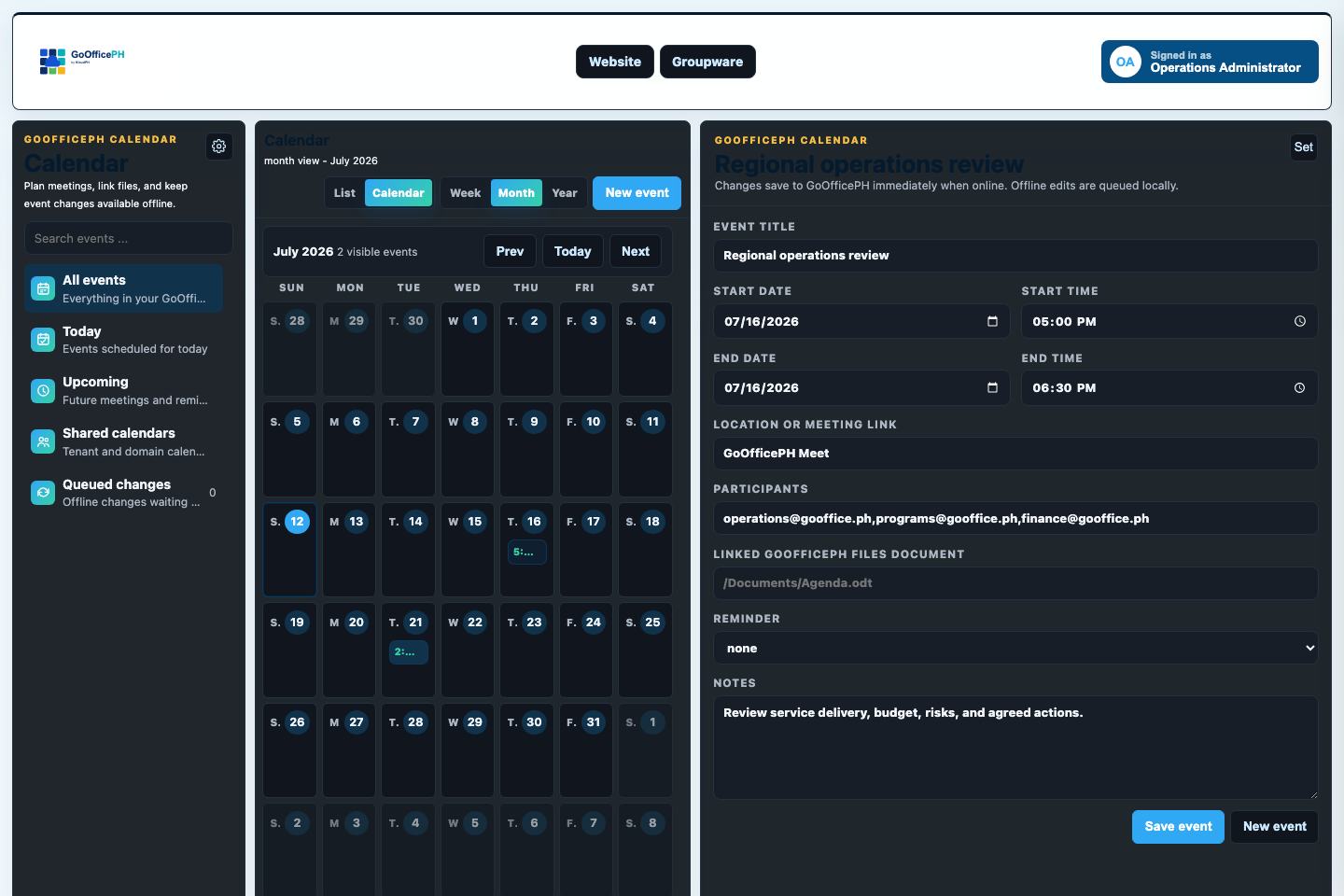
We connect invitations, events, participants, meetings, files, reminders, and schedule changes so plans remain actionable.
Version 1.0.3 Release notes
Link participants, Connect rooms, Suite files, descriptions, and reminders.
Use responsive views and queued synchronization to keep schedules available.
The product in use
See how Calendar supports real work.
These populated previews use the current GoOfficePH interface so you can understand the workflow before opening the app.
A clear working path
Move from the first action to an accountable outcome.
- 1Capture
Create an event or accept a recognized invitation from Mail.
- 2Coordinate
Choose participants, a meeting room, linked files, and reminders.
- 3Stay current
Apply updates and cancellations while preserving the event history.
Capabilities
Use a simple surface first, then reach deeper controls when the work requires them.
Planning
Move between practical schedule views without losing the selected event.
Open the associated Connect room directly from the event.
Keep agendas and supporting documents beside the schedule.
Continuity
Preserve accepted, updated, and cancelled invitation state.
Surface the next commitment at the appropriate time.
Retain edits until they can be synchronized safely.
Built to be managed
The app participates in the same administration, security, audit, and reporting model as the wider workspace.
GoOfficePH combines daily productivity with the tools needed to operate users, tenants, domains, services, and policy at scale.
Administration and governanceManage people, domains, roles, services, storage, and policy from role-aware consoles.AuditabilityReview who acted, what changed, where it happened, and which organization was affected.SecurityApply identity, mail, access, sharing, and alert controls across the workspace.ReportsTurn activity and service data into online views and professionally formatted exports.
Keep exploring
See where the app fits, then discover what improved in this version.
Ready to work